How to Create a Relaxing Home Workspace for Better Focus
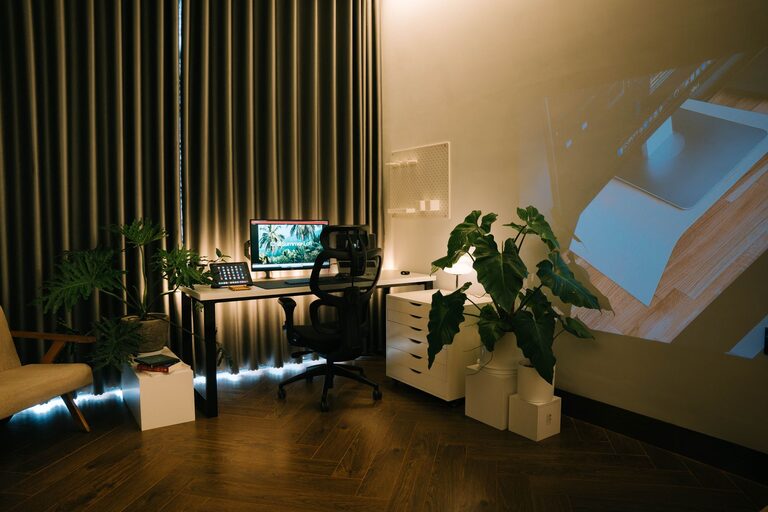
Creating a relaxing home workspace is essential for anyone who spends significant time working from home. A well-designed area not only improves productivity but also helps reduce stress and mental fatigue. Whether you have a dedicated room or just a small corner of your living space, turning it into a calming, efficient workspace can make a big difference. Here’s a detailed guide to help you create your perfect home workspace.
Why a Relaxing Workspace Matters
Working in a cluttered or noisy environment can increase stress and decrease your ability to focus. A relaxing workspace sets the tone for your workday by promoting calmness and clarity. It supports better concentration, creativity, and overall well-being.
Step 1: Choose the Right Location
Find a Quiet Spot
Select a place in your home with minimal distractions. If possible, avoid high-traffic areas like the kitchen or living room where interruptions are frequent.
Prioritize Natural Light
Natural light improves mood and energy levels. Position your desk near a window to take advantage of sunlight. If natural light is scarce, invest in quality daylight bulbs to mimic natural light indoors.
Step 2: Invest in Comfortable and Functional Furniture
Ergonomic Chair and Desk
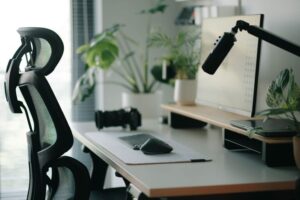
Comfort is key. Choose an ergonomic chair that supports your back and encourages good posture. Match it with a desk at the right height to prevent strain on your neck and wrists.
Flexible Layout
If space allows, consider adjustable desks that let you switch between sitting and standing positions. This flexibility can reduce discomfort and boost energy throughout the day.
Step 3: Keep Your Space Organized
Declutter Regularly
A cluttered desk can be distracting. Keep only essential items on your desktop. Use organizers like trays, drawers, and shelves to store materials neatly.
Cable Management
Tidy cables not only improve aesthetics but also reduce stress. Use cable clips, sleeves, or ties to keep wires organized and out of sight.
Step 4: Incorporate Calming Elements
Use Soothing Colors
Choose colors that promote relaxation and focus, such as soft blues, greens, or neutrals. Paint walls or use accessories in these tones to create a peaceful atmosphere.
Add Greenery
Plants can improve air quality and add a refreshing touch to your workspace. Low-maintenance options like succulents or snake plants are perfect for busy schedules.
Include Personal Touches
Add a few personal items such as photos, artwork, or meaningful objects that make you feel comfortable and motivated without overcrowding the space.
Step 5: Control Noise and Lighting
Use Noise-Cancelling Options
If you can’t find a quiet spot, consider noise-cancelling headphones or white noise machines to block out distractions.
Adjustable Lighting
Desk lamps with adjustable brightness can reduce eye strain and help you adapt to different times of day. Warm light tones are generally more relaxing during evening hours.
Step 6: Establish a Routine and Keep It Inviting
Maintain Cleanliness
Take a few minutes at the end of each day to tidy your workspace. A clean, inviting area encourages you to start fresh the next day.
Incorporate Break Spots
If space permits, set up a small nook nearby for short breaks. A comfortable chair or a cushion by the window can encourage you to step away and recharge.
Bonus Tips: Technology and Wellness
– Use Blue Light Filters: Protect your eyes by enabling blue light filters on your screens during late hours.
– Stay Hydrated: Keep a water bottle nearby to maintain hydration and focus.
– Add Essential Oils or Candles: Scents like lavender or eucalyptus can promote relaxation, but make sure they are safe and don’t cause allergies.
—
By applying these tips, your home workspace can become a peaceful and productive environment that supports your best work. Remember, the goal is to create a space that feels comfortable, organized, and inspiring so you can enjoy your workday with less stress. Start small, and adjust your workspace as needed to fit your unique preferences and needs.